
You can define which of your help center users can have view access by setting the help center view permissions. The following options are available:
- Signed-in users This includes internal and external users who create an account and sign in to your help center.
- Agents and managers This option is for staff members only, so that you can create content that is internal-only.
To restrict your help center visibility
- In Guide, click the Settings (
) icon in the sidebar.
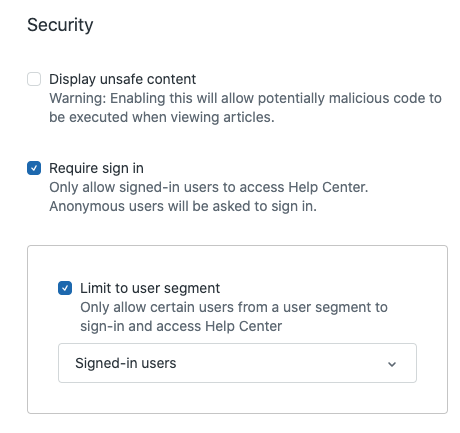
- Under Security, select Require sign in.
- (Optional) If you want to restrict your help center visibility to a segment, under Require sign in, select Limit to user segment, then open the dropdown menu and select a User segment.
- Click Update.
Comments
0 comments
Please sign in to leave a comment.